How We Automated the Entire Property Enquiry Journey , Lead Capture to Site Visit Booking , Using AI Inside Salesforce
By Conscendo Technologies
In Part 1 of this series, we introduced Agentforce and why it’s a genuine step, change from traditional chatbots and Copilots. In this post, we go one level deeper: a real, production, style agent our team designed and built , end to end , for a residential real estate developer. This isn’t a concept demo. It’s a working Agentforce implementation handling real leads, real Salesforce records, and a real customer journey.
The Problem
Real estate companies lose leads every single day , not because their properties aren’t good, but because their response time is too slow.
A potential buyer visits the website at 11 PM, fills an enquiry form, and waits. By the time a sales executive calls back the next morning, the buyer has already spoken to three competitors.
The challenge: how do you give every website visitor an immediate, intelligent, personalised response , 24/7 , without hiring a team of agents?
The Solution
We built the Conscendo Pre, Sales Assistant , a fully autonomous AI agent deployed on Salesforce Agentforce for Conscendo Builders, a residential real estate developer.
The agent handles the complete pre, sales journey , from the first “Hi” on the website to a confirmed site visit booking , without any human intervention. It works directly inside Salesforce, creating real Lead records, querying live Project__c data, booking actual Site_Visit__c records, and maintaining a full activity timeline.
Everything happens through a beautifully branded chat widget embedded on the company website.
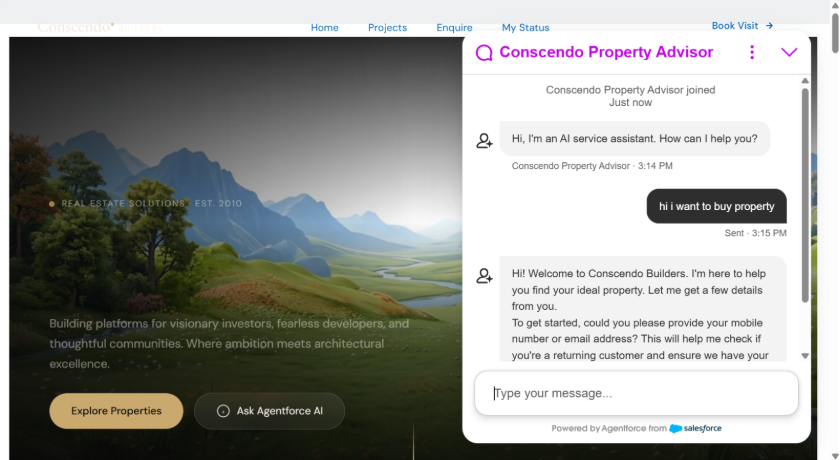
The Conscendo Property Advisor greets a visitor the moment they open the chat widget.
Five Journeys, Fully Automated
The agent handles five distinct customer journeys completely autonomously. Here’s what each one looks like in production.
1. New Customer Lead Capture
When a new visitor starts chatting, the agent greets them warmly, immediately checks for duplicates using their phone or email, and presents a multi, step lead capture form directly inside the chat. No plain, text “What is your name?” questions , the customer fills a structured, validated form covering first name, last name, mobile number, email, city, budget, property type, bedroom preference, purpose, and possession timeline, all rendered natively in the chat as a Lightning Web Component. A Salesforce Lead record is created instantly with every preference captured.
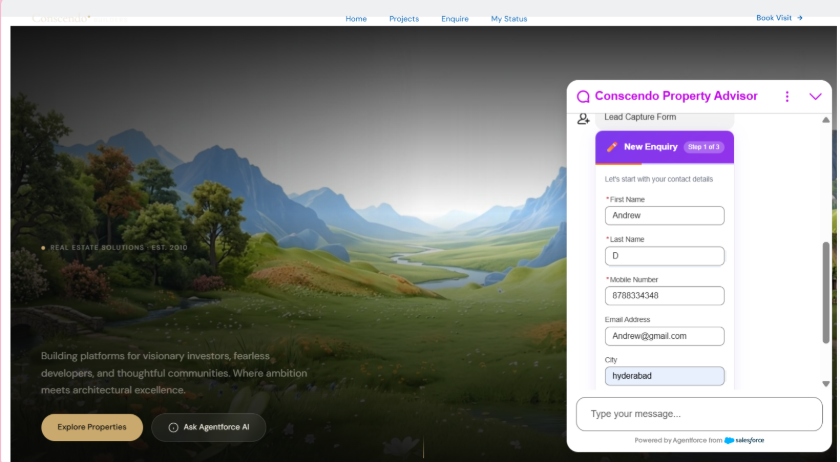
Step 1 of 3 , contact details captured through a native Lightning Web Component form, not free text.
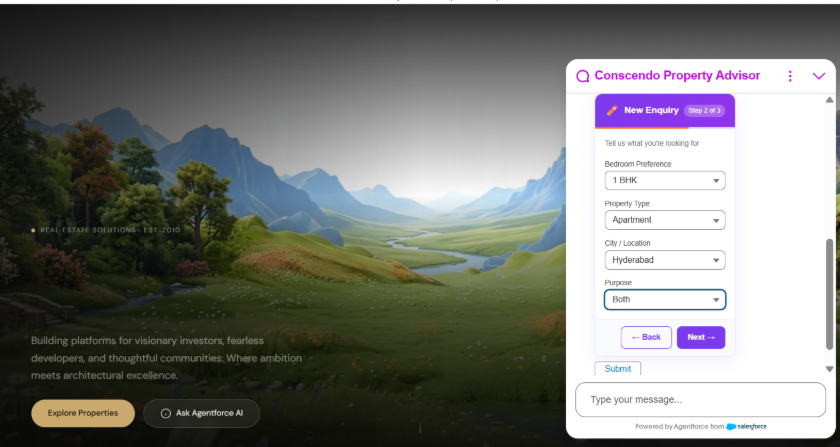
Step 2 of 3 , property preferences: bedroom type, property type, city, and purpose.
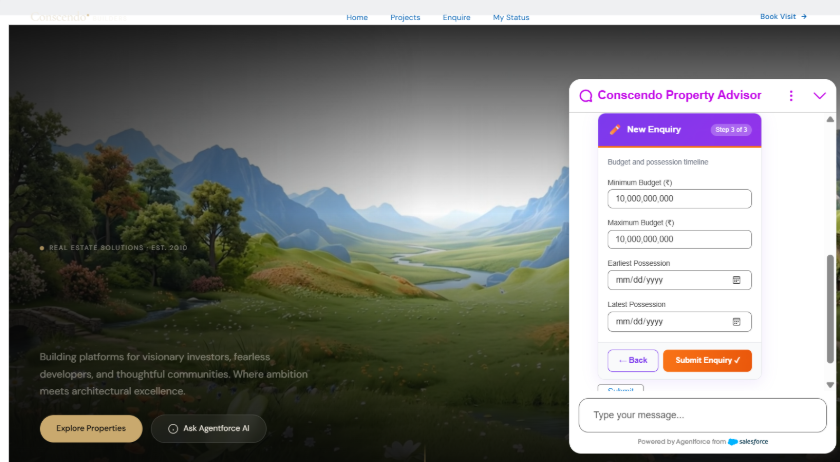
Step 3 of 3 , budget range and possession timeline.
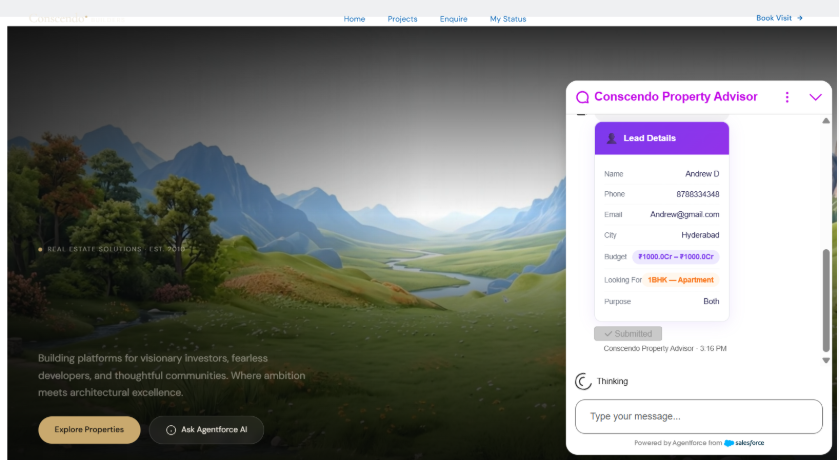
The moment the form is submitted, the Lead record is created in Salesforce and summarised back in the chat.
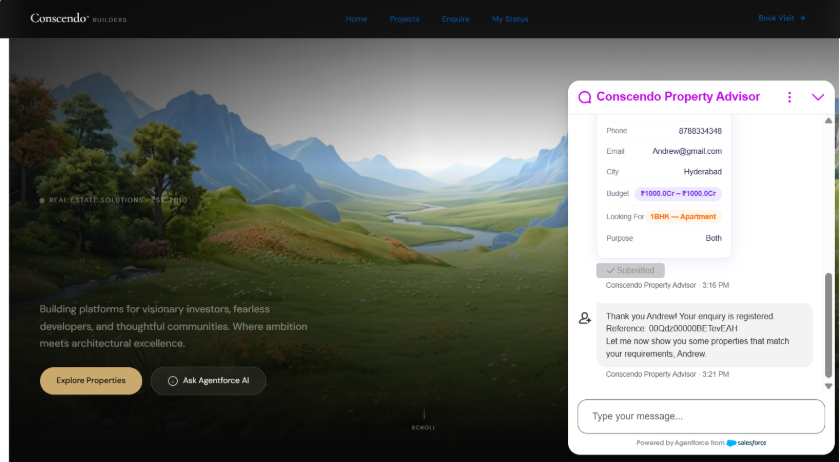
The agent confirms the enquiry with a real Salesforce reference number and transitions straight into recommendations.
2. Project Recommendation
The moment registration completes, the agent queries active Project__c records filtered by the customer’s location preference and budget. Results are displayed as a rich property card inside the chat , showing project name, location, RERA number, and a direct brochure download link. The customer browses, selects a project they like, and the Lead’s Project__c lookup is silently updated in Salesforce. No manual CRM entry needed.
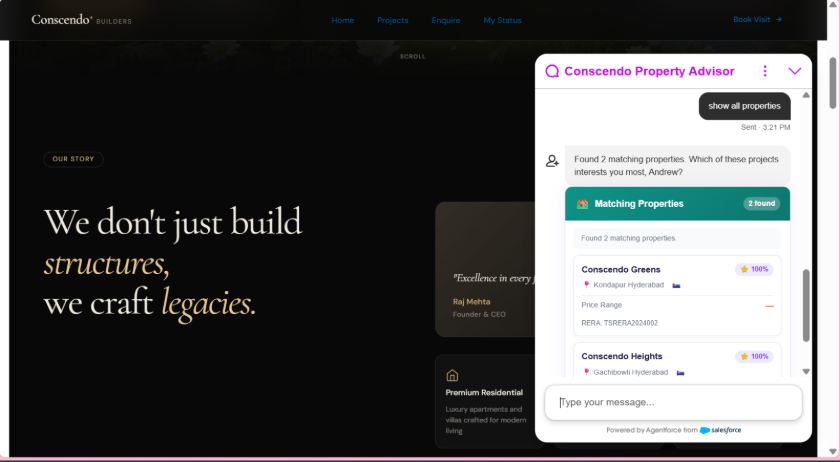
Matching properties are returned as rich cards , project name, location, RERA number, and match score.
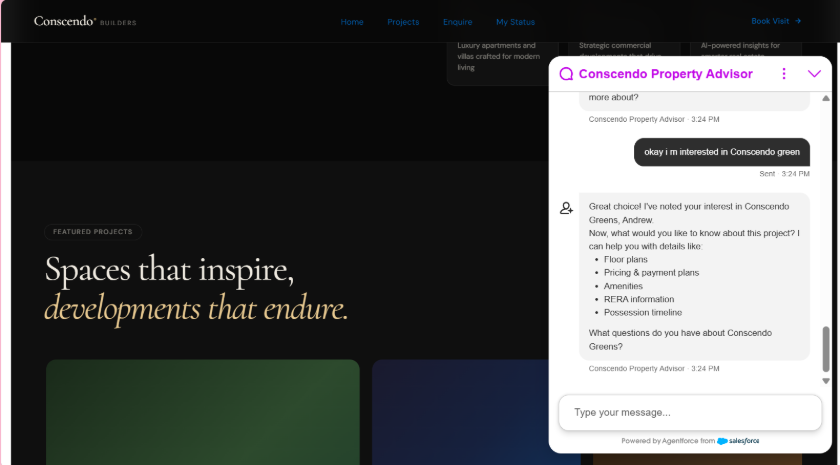
The customer picks a project; the agent updates the Lead’s project lookup and offers to go deeper , floor plans, pricing, amenities, RERA info, possession timeline.
3. Brochure Q&A
When the customer asks “What are the amenities?” or “What is the RERA number?”, the agent answers using Einstein Prompt Builder connected to a Salesforce Data Library containing the actual project brochure PDFs. Every answer is grounded in real documents , the agent never fabricates data, and it says so plainly when the brochure doesn’t have what was asked.
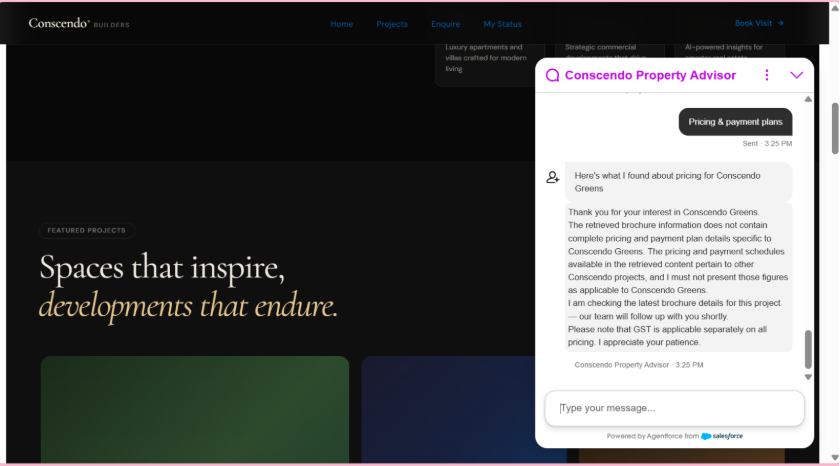
The agent honestly flags when a brochure doesn’t contain the specific figures asked for, rather than guessing , a direct benefit of grounding responses in the Data Library instead of the model’s own assumptions.
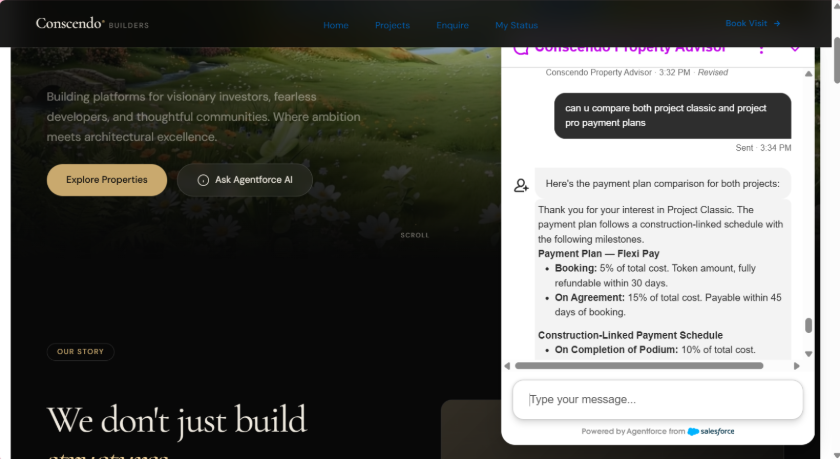
Later in the conversation, the agent compares payment plans across two different projects side by side, still fully grounded in the brochure data.
4. Site Visit Scheduling
When the customer is ready to visit, a site visit booking form renders in the chat , pre, filled with their phone number and selected project. The customer picks the visit type (Site Visit, Virtual Tour, Head Office Visit, or Home Visit) and preferred date. A Site_Visit__c record is instantly created in Salesforce, and the Lead’s sub, status updates to “Site Visit Scheduled.”
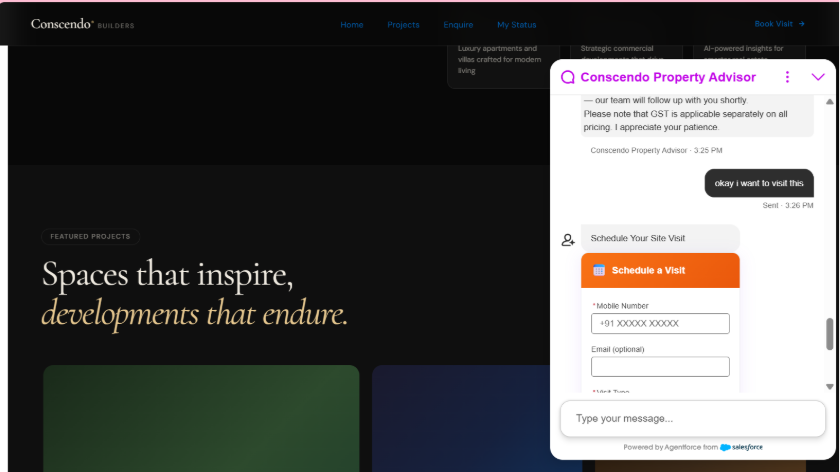
The site visit form captures visit type and preferred date, pre, filled from the conversation.
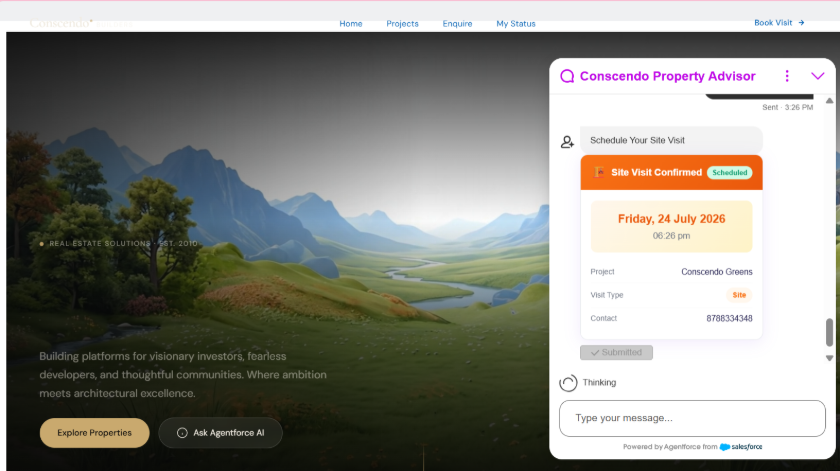
A real Site_Visit__c record is created and confirmed back to the customer instantly.
5. Callback Requests & Returning Customers
Not every conversation ends in a booking. If a customer missed a call or wants a callback instead, the agent handles that too , capturing the preferred date and a free, text note, and creating a Task in Salesforce so the sales team follows up on time. Returning customers are recognised by phone or email and shown a live dashboard of their Lead status and activity history, from which they can book a new visit or request a callback directly.
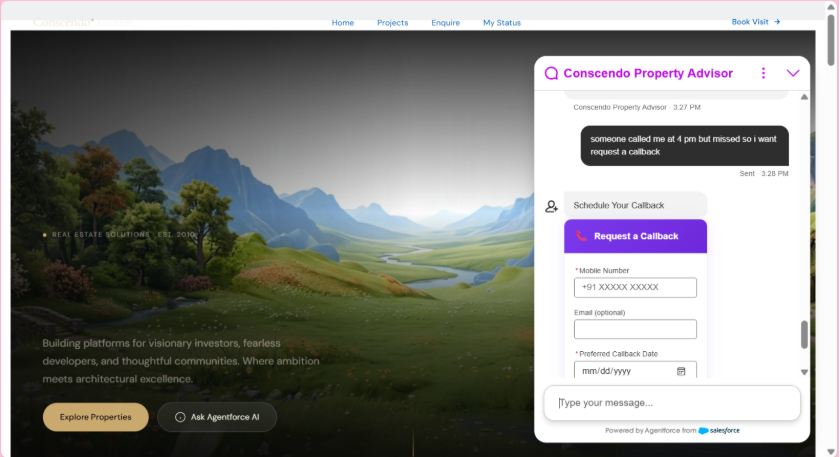
A missed call turns into a structured callback request instead of a lost lead.
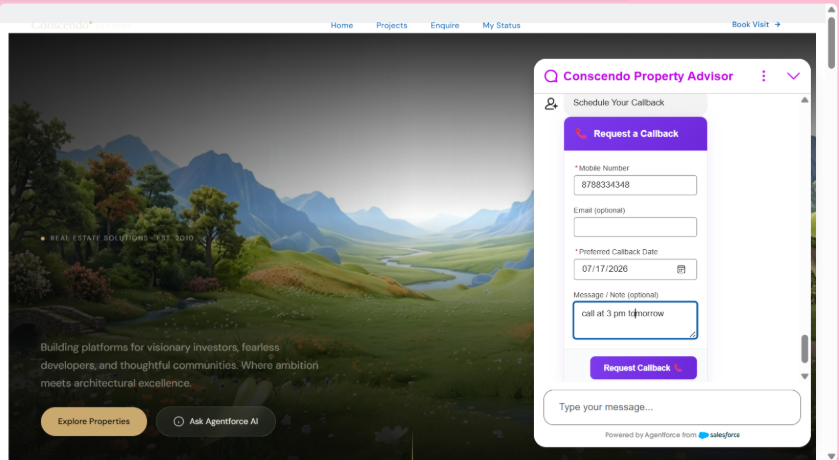
The customer adds a preferred callback time and a note for the sales team.
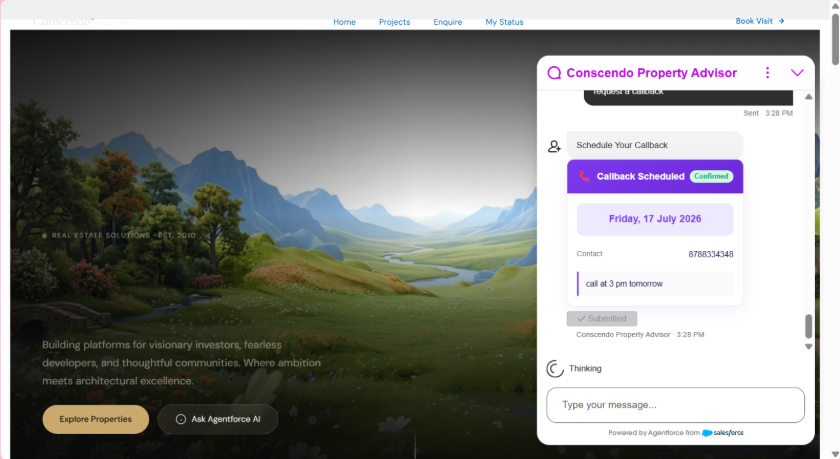
The callback is confirmed and logged as a real Salesforce activity for the sales team to action.
The Architecture
The entire agent is built on native Salesforce platform components , no external APIs, no middleware, no third, party chatbots.
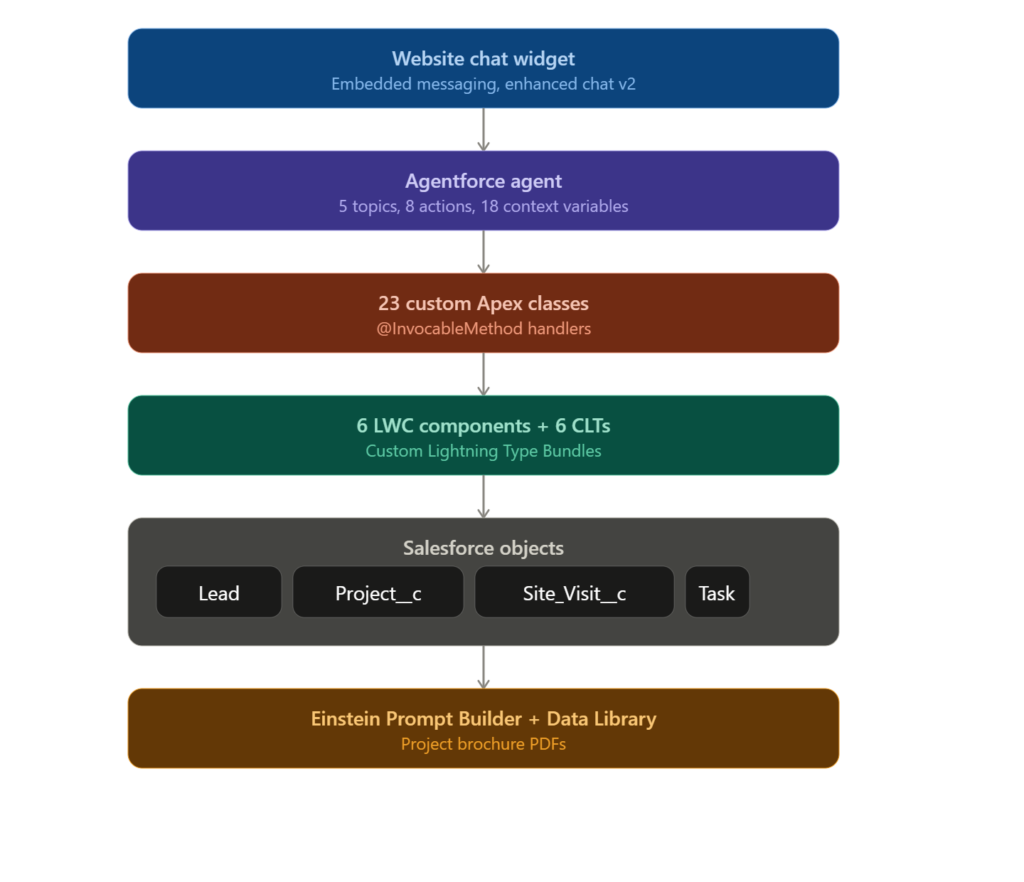
Why This Approach Works
- Everything is native Salesforce , Lead, Project__c, Site_Visit__c, Task, and Note all live in the same org the sales team already works in. No sync jobs, no data lag.
- Structured input, not free text , every form the customer fills renders as a real LWC inside the chat, so the data captured is clean and validated from the very first message.
- Grounded answers only , Einstein Prompt Builder pulls from the actual brochure Data Library, so the agent never invents pricing, amenities, or RERA details.
- No missed leads, day or night , from an 11 PM enquiry to a missed, call callback request, every interaction becomes a tracked Salesforce record with a clear next action for the sales team.
Coming Up Next
In the next post in this series, we’ll go under the hood on extending Agentforce agents with custom Apex actions , including patterns for keeping them bulk, safe and production, ready, the same patterns powering the 23 Apex classes behind this agent.
Have questions about building your own Agentforce agent, or want to see how this could apply to your business? Get in touch with Conscendo Technologies.